Tech
What Is Cloud Computing? Explained in Simple Terms (2026 Guide)
What Is Cloud Computing? (Explained in Simple Terms)
Quick Answer
Cloud computing is the delivery of computing services—such as storage, software, and processing power—over the internet instead of relying on your own computer or device.
In simple terms, cloud computing allows you to use someone else's powerful computers through the internet whenever you need them.
Every time you use Gmail, watch Netflix, save photos to Google Photos, or join a Zoom meeting, you're using cloud computing.
Introduction
Most people use cloud computing every day without realising it.
When you upload a photo from your smartphone, stream a movie on Netflix, or edit a document in Google Docs, you're relying on a vast network of computers located somewhere else in the world.
But what exactly is "the cloud"?
Many people imagine something floating in the sky because of the name. In reality, the cloud is made up of physical computers stored inside massive data centres around the world.
Cloud computing is one of the most important technologies behind the modern internet. It powers social media platforms, online banking, artificial intelligence tools, video streaming services, and even many of the apps on your phone.
This guide explains cloud computing in simple language—without technical jargon—so anyone can understand how it works and why it matters.
What Is Cloud Computing?
Imagine you have thousands of photos, videos, and documents.
You could:
Store everything on your own laptop
Buy external hard drives
Manage backups yourself
Or you could upload everything to an online service like Google Drive.
When you choose the second option, your files are stored on remote computers connected to the internet.
That's cloud computing.
Instead of owning and maintaining expensive computing equipment yourself, you rent access to computing resources from companies that specialise in managing them.
These companies provide:
Storage
Computing power
Databases
Software
Networking services
You access everything through the internet whenever needed.
Why Is It Called "The Cloud"?
The term "cloud" comes from early network diagrams.
Engineers used a cloud-shaped symbol to represent complex internet networks because the details inside weren't important to the user.
The cloud symbol simply meant:
"You don't need to know what's happening inside. It just works."
The name stuck.
Today, when people talk about "the cloud," they mean a network of remote servers that store data and run applications over the internet.
Cloud Computing Explained with a Simple Analogy
Think of Electricity
Years ago, factories generated their own electricity.
They had to buy equipment, maintain generators, and manage everything themselves.
Today, businesses simply plug into the electrical grid.
They use electricity whenever needed and pay for what they consume.
Cloud computing works the same way.
Instead of buying expensive servers and maintaining them yourself, you access computing power from a cloud provider and pay only for what you use.
Just as electricity became a utility, computing has become a utility.
Another Easy Analogy: Renting vs Owning
Imagine you need office space.
Option 1: Buy a Building
You must:
Purchase the property
Maintain it
Repair problems
Handle security
Pay all costs
Option 2: Rent an Office
The building owner handles maintenance and security.
You simply use the space you need.
Cloud computing follows the same principle.
Owning servers is like buying a building.
Using cloud services is like renting office space.
You gain flexibility without the responsibility of managing the infrastructure.
How Does Cloud Computing Work?
Let's use a real-world example.
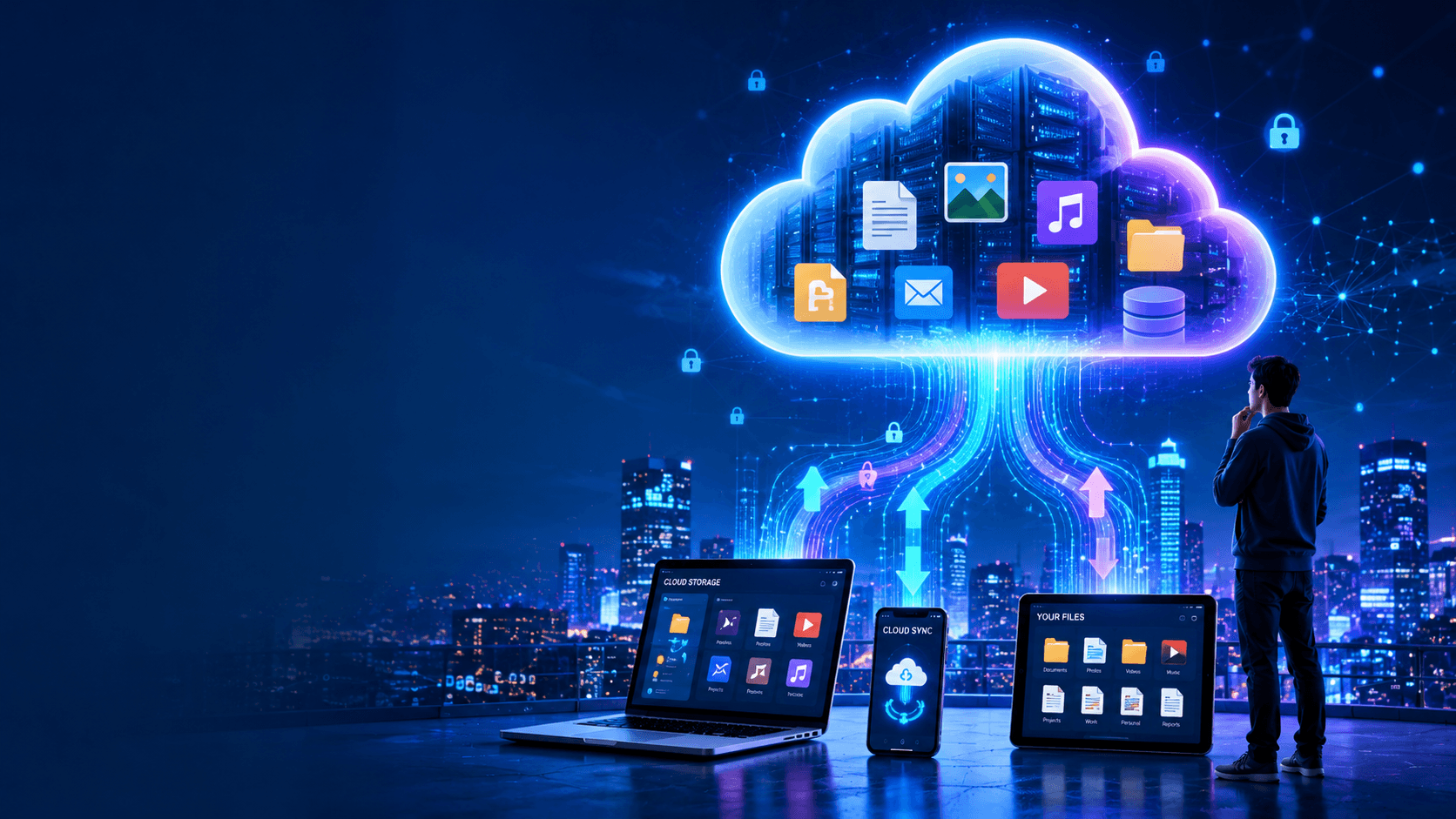
Suppose you take a photo on your phone and save it to Google Photos.
Step 1: You Upload the Photo
The photo starts on your smartphone.
Step 2: The Internet Transfers It
The image travels through your Wi-Fi or mobile network.
Step 3: It Reaches a Data Center
The photo arrives at a remote facility filled with thousands of powerful computers.
Step 4: The Cloud Stores It
The cloud provider saves the image on multiple servers.
This prevents data loss if one machine fails.
Step 5: You Access It Anywhere
Later, you open Google Photos on a laptop.
The cloud retrieves the image and displays it instantly.
Even though the photo is not stored on that laptop, you can still view it because it lives in the cloud.
That's cloud computing in action.
What Is a Data Centre?
A data centre is a large building filled with computers called servers.
These facilities contain:
Thousands of servers
Backup power systems
Cooling equipment
Security systems
High-speed internet connections
Data centres operate 24 hours a day, 365 days a year.
They are the physical foundation of cloud computing.
When people say their files are "in the cloud," those files are actually stored inside data centres somewhere in the world.
Real-Life Examples of Cloud Computing
You probably use cloud computing dozens of times daily.
Netflix
Netflix stores movies and TV shows on cloud servers.
When you click Play, the content streams to your device over the internet.
Spotify
Spotify keeps millions of songs in the cloud.
You don't need to store them on your phone.
Gmail
Your emails aren't stored on your laptop.
They're stored on Google's servers and accessible from any device.
Google Drive
Files live online rather than on a specific computer.
Zoom
Video calls are powered by cloud infrastructure.
Online Banking
Banks use cloud technology to process transactions securely.
Social Media
Facebook, Instagram, LinkedIn, TikTok, and X all depend heavily on cloud computing.
AI Tools
Artificial intelligence systems like ChatGPT rely on powerful cloud servers to process requests and generate responses.
The Three Main Types of Cloud Computing
Not all clouds work the same way.
There are three primary deployment models.
1. Public Cloud
The public cloud is shared among many customers.
Examples include:
Amazon Web Services (AWS)
Microsoft Azure
Google Cloud
Think of it like public transportation.
Many people use the same infrastructure, but each person's information remains separate and secure.
Advantages
Lower cost
Easy setup
Highly scalable
2. Private Cloud
A private cloud is dedicated to a single organisation.
Think of it like owning your own car.
You don't share resources with others.
Advantages
Greater control
Enhanced security
More customization
Common Users
Banks
Government agencies
Healthcare organizations
3. Hybrid Cloud
A hybrid cloud combines public and private cloud environments.
Organisations keep sensitive information in a private cloud while using the public cloud for other workloads.
Think of it as owning a car but occasionally using public transportation when it makes sense.
Cloud Service Models Explained Simply
Cloud services are usually grouped into three categories.
SaaS (Software as a Service)
This is the most common type.
You simply use software through the internet.
Examples:
Gmail
Zoom
Google Docs
Dropbox
Microsoft 365
You don't install or manage anything.
Just log in and use it.
Analogy
Staying at a hotel.
Everything is ready for you.
PaaS (Platform as a Service)
Designed mainly for developers.
The provider supplies the tools and infrastructure needed to build applications.
Developers focus on creating software instead of managing servers.
Analogy
Renting a fully furnished apartment.
Most things are already prepared.
IaaS (Infrastructure as a Service)
Provides raw computing resources such as servers and storage.
Customers configure everything else.
Analogy
Renting an empty apartment.
You bring your own furniture and set everything up.
Why Is Cloud Computing So Popular?
Cloud computing offers several major advantages.
1. Lower Costs
Businesses avoid large upfront investments.
Instead of buying expensive hardware, they pay only for what they use.
This significantly reduces costs.
2. Scalability
Cloud resources can grow instantly.
If a website suddenly receives one million visitors, cloud infrastructure can automatically handle the increase.
Traditional systems often struggle with this.
3. Accessibility
Users can access files and applications from almost anywhere.
All they need is an internet connection.
This flexibility supports remote work and global collaboration.
4. Reliability
Cloud providers create multiple copies of data.
If one server fails, another immediately takes over.
This improves uptime and reduces data loss.
5. Automatic Updates
Users don't have to maintain hardware or software.
Cloud providers handle upgrades behind the scenes.
Potential Drawbacks of Cloud Computing
Although cloud computing offers many benefits, it isn't perfect.
Internet Dependency
Without internet access, cloud services become difficult or impossible to use.
Privacy Concerns
Users trust cloud providers with sensitive information.
Organisations must carefully evaluate security and privacy practices.
Vendor Lock-In
Switching from one provider to another can be complex and expensive.
Businesses should consider this before committing to a platform.
Service Outages
Although rare, cloud providers can experience outages that temporarily disrupt services.
Is Cloud Computing Safe?
A common question is:
"Is my data safe in the cloud?"
The answer is generally yes.
Major cloud providers invest billions of dollars into security.
Security measures often include:
Data encryption
Multi-factor authentication
Continuous monitoring
Physical security
Backup systems
In many cases, cloud providers offer stronger security than most organisations could achieve on their own.
However, users still need good security habits, such as:
Strong passwords
Two-factor authentication
Regular account monitoring
Security is a shared responsibility.
Cloud Computing and Artificial Intelligence
Artificial intelligence would not exist at today's scale without cloud computing.
Training modern AI models requires enormous computing power.
Cloud infrastructure provides:
High-performance processors
Massive storage systems
Scalable computing resources
When you use an AI tool, your request is typically processed by cloud servers located in large data centres.
The response is then sent back to your device in seconds.
This is one reason cloud computing has become even more important in recent years.
The Future of Cloud Computing
Cloud computing continues to grow rapidly.
Future trends include:
More AI-powered services
Faster cloud infrastructure
Greater automation
Improved cybersecurity
Expansion of edge computing
Increased adoption by small businesses
As technology becomes more connected, cloud computing will play an even larger role in everyday life.
Most digital experiences of the future will rely on cloud infrastructure in some way.
Frequently Asked Questions
What is cloud computing in one sentence?
Cloud computing is the delivery of computing resources such as storage, software, and processing power over the internet.
Is cloud computing the internet?
No.
The internet is the network that connects devices.
Cloud computing is a service that uses the internet to deliver computing resources.
Is Google Drive cloud computing?
Yes.
Google Drive stores files on remote servers and allows users to access them through the internet.
Can cloud computing work without the internet?
Generally no.
Most cloud services require an internet connection.
What are examples of cloud computing?
Examples include:
Gmail
Google Drive
Dropbox
Netflix
Spotify
Zoom
Microsoft 365
Why do businesses use cloud computing?
Businesses use cloud computing because it reduces costs, improves flexibility, supports remote work, and allows systems to scale quickly.
Final Thoughts
Cloud computing sounds complicated, but the idea is surprisingly simple.
Instead of storing everything on your own device and maintaining expensive hardware, you access computing resources through the internet whenever you need them.
Whether you're streaming a movie, backing up photos, joining a video call, or using artificial intelligence, cloud computing is working behind the scenes to make the experience possible.
As our world becomes increasingly digital, understanding cloud computing is no longer just for IT professionals. It's a fundamental concept that helps explain how modern technology works.
The next time someone asks, "What is cloud computing?" you can simply say:
"It's like renting powerful computers and storage over the internet instead of owning them yourself."
Newsletter
Get New Posts In Your Inbox
No spam. Just practical reads on AI, Finance, and Tech.
By subscribing, you agree to get occasional emails. Every one has a one-click unsubscribe link.